To monitor the progress of your order, take the following steps:
- Hover on your profile in the website menu and select "Orders".
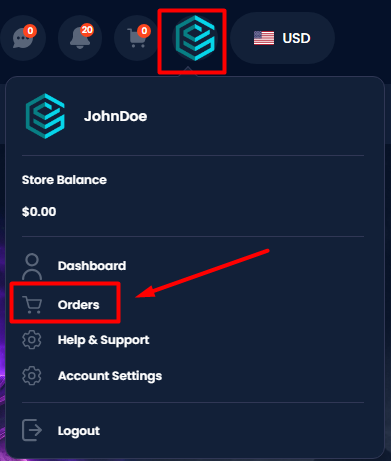
- Locate the specific order you want to check. You can use filters or search by product name to find it easily.
- The order status appears in the top-right corner of the order card. You can also select "View Details" to see the full status history, including timestamps.

Was this article helpful?
That’s Great!
Thank you for your feedback
Sorry! We couldn't be helpful
Thank you for your feedback
Feedback sent
We appreciate your effort and will try to fix the article